Imagine your client calls on Tuesday to say a new hire starts next Monday. No one has collected an I-9, sent a W-4, set up direct deposit, or enrolled the new employee in the company’s benefits. Their HR process is just a folder of PDFs, a shared inbox, and some good intentions. By the time the employee appears on payroll, you’ve used five different systems, and your client has sent several follow-up emails to someone who still hasn’t replied.
Intuit Connect, the premier event for accounting firms, is back,
Oct. 26-28 in Las Vegas!

QuickBooks Workforce
How QuickBooks Workforce payroll and HR tools manage the full employee lifecycle
QuickBooks Workforce unifies payroll, HR workflows, time tracking, benefits, and offboarding in a single environment connected to the general ledger. If you already manage your client's payroll in QuickBooks Online, you can now handle the entire employee lifecycle in the exact same system you use to close the books.
Have questions about QuickBooks Workforce? Get answers specific to your firm.
Your clients are probably running payroll in one system, benefits in another, and time off in a spreadsheet that someone reluctantly maintains. None of these systems talk to each other, which only compounds errors and manual work. The burden of reconciling everything usually lands on you.
QuickBooks Workforce solves this problem by bringing payroll, HR tasks, time tracking, benefits, and offboarding together in one place, all linked to the general ledger.
If you already handle client payroll in QuickBooks Online, this expands your role. Now you're not just running paychecks; you’re managing the entire employee lifecycle in the same system where you close the books.
How does employee onboarding work in QuickBooks Workforce payroll?
Employees enter their own information during onboarding using an employee portal. In a few clicks, they can sign an offer letter, upload tax forms, set up direct deposit, and electronically sign required company documents such as the employee handbook. Background checks run directly from the employee profile through Checkr, and I9 verification is completed entirely online.
With QuickBooks Workforce, onboarding begins before the new hire’s first day. After your client makes an offer, QuickBooks starts a customizable onboarding process. The new employee gets a portal invite, signs the offer letter, fills out their W-4 and I-9 online, sets up direct deposit, reviews required documents, and enrolls in benefits, all without you or your client having to track down paperwork.
Background checks run through a Checkr integration directly from the employee profile. You stay within the platform to initiate the check, and the results are linked to the employee record.
Employees also handle their own I-9 and W-4 forms. When they enter their information, it goes straight into the payroll system. This means no double entry, fewer mistakes, and no delays between collecting information and running payroll.
How QuickBooks Workforce is structured by tier
- Workforce Payroll: Basic employee records and a self-service portal for new hire information.
- Workforce Premium: Full onboarding workflows, including offer letters, digital documents, e-signature, and background checks through Checkr.
- Workforce Elite: Everything in Workforce Premium, plus unlimited HR Workflows and Performance Management tools.
Onboarding a new hire: Watch this feature in action:

How does the QuickBooks Workforce mobile app work for your clients' employees?
The QuickBooks Workforce app gives employees self-service access to pay stubs, time-off balances, benefits information, and company documents from their phone. Employees can submit time-off requests, update personal information, and complete onboarding tasks without a desktop or needing to reach out to HR.
On the admin side, managers and accountants get real-time visibility into pending approvals and workforce data. For clients whose teams work in the field, retail, or across multiple locations, the app closes the gap between where work happens and where HR tasks are completed.
Team app onboarding: Watch this feature in action

How do benefits connect to payroll in QuickBooks Workforce?
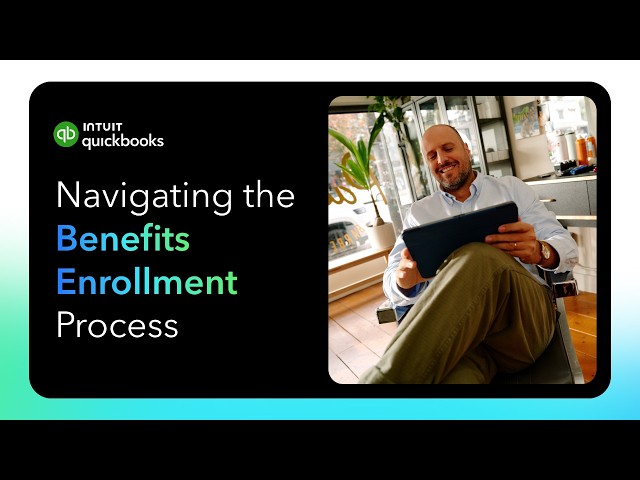
Benefits enrollment and payroll deductions are managed in the same platform. When an employee enrolls in a plan or updates coverage, deductions update in payroll automatically. Benefits administration is available as an optional add-on with Workforce Premium and Elite for employers with 20 or more employees.
Managing benefits across a disconnected stack creates a specific kind of risk: enrollment happens in one system, deductions are entered manually in another, and any change, such as a qualifying life event, requires a human to catch it and act on it in both systems. If anyone misses a single step, the employee’s paycheck will be incorrect and the books won’t reflect reality.
With QuickBooks Workforce, benefits enrollment and payroll deductions are handled in one place. Employees use a self-service portal to enroll or update coverage after a life event. When something changes, payroll deductions update automatically. This means you don’t have to manually match up benefits and payroll anymore.
The platform supports medical, dental, vision, and life insurance with built-in benefits administration. 401(k) plans are also available through Vestwell, and you can manage contributions and employer matches right in the system.
Important: benefits administration availability
- Benefits administration: Available as an optional add-on for QuickBooks Workforce Premium and Elite only when clients have 20 or more employees. Benefit plan setup required. Not all benefit plans are supported.
- 401(k): Offered through Vestwell, an independent third party. Intuit receives a fee for referred clients. Additional third-party terms apply.
- Health benefits: Provided through Intuit Insurance Services Inc., a licensed broker, in partnership with Allstate Health Solutions. Plans sold separately.
How does time off tracking work in QuickBooks Workforce payroll?
Easily configure time off policies with custom accrual rules, balance caps, and carry over settings. Employees request time through the Workforce app, and managers can approve requests instantly. The approved hours flow directly into payroll with no manual data entry.
Time-off management can get complicated, especially if your client has employees on different accrual schedules. Part-time employees, multiple types of sick leave, and messy spreadsheets add to the challenge.
QuickBooks Workforce lets you set up time-off policies with custom rules for each type. Vacation, sick leave, bereavement, and other categories can have their own accrual rates, balance caps, and carryover rules. Employees request time off in the mobile app, managers get notified, and can approve it with one click. Approved time is automatically included in the next payroll run.
Managing time off: Watch this feature in action:

How does offboarding work in QuickBooks Workforce?
Track employee exits using an offboarding checklist. The system logs termination details and guides you through the necessary steps for the final paycheck, keeping all your records in one place.
QuickBooks Workforce handles offboarding through a checklist that coordinates the steps across the departure process. The checklist can cover manager reassignment and ending benefits. The final paycheck is processed through the regular payroll workflow.
If your clients currently manage departures with email threads and memory, a checklist helps improve compliance. While it can’t remove all risk, a structured workflow helps make sure nothing gets missed.
Offboarding an employee: Watch this feature in action

What managing the full lifecycle inside QuickBooks actually looks like
One big advantage of QuickBooks Workforce is that your data stays in one place. When your client hires, onboards, tracks time, manages benefits, and offboards employees, everything is linked to the general ledger, so there’s no need to export, import, or reconcile data. If a client asks if they can afford to hire someone new, you already have the answer in the same system.
When you’re managing several clients in QuickBooks Online, this means less data handoff, a clearer view of workforce costs, and fewer logins to manage. The employee lifecycle is managed right alongside the books, not in a separate HR system.
When you bring clients to QuickBooks Workforce through the ProAdvisor Revenue Share Program, you earn a revenue share on their subscription, plus a bonus for new payroll clients. You can earn $300 per new Workforce Premium subscription and $500 per new Workforce Elite subscription. Promotion details and current amounts are available through your ProAdvisor account.
If your clients are running workforce operations across scattered tools, QuickBooks Workforce is where that stops. Discover the revenue share program.
FAQs for QuickBooks Workforce
Does QuickBooks Workforce replace QuickBooks Online Payroll?
Yes. QuickBooks Workforce is the new name for the platform that previously included QuickBooks Online Payroll. Clients currently on Core, Premium, or Elite will be automatically migrated to the corresponding Workforce tier. The payroll functionality is unchanged. The rename reflects the expansion of the platform to include HR, onboarding, benefits, and other workforce management tools.
Which Workforce tier includes benefits administration?
Benefits administration is available as an optional add-on with Workforce Premium and Elite. Employers must have 20 or more employees to be eligible, and benefit plan setup is required. Not all benefit plans are supported. Health insurance is provided through Intuit Insurance Services Inc. in partnership with Allstate Health Solutions. 401(k) plans are available through a Vestwell integration.
Can employees handle their own onboarding paperwork in QuickBooks Workforce?
Yes. New hires complete their W-4, I-9, and direct deposit setup through a self-service portal. They sign the documents digitally, and information goes directly into the payroll system without a separate data entry step. Full onboarding workflows, including offer letters, background checks, and configurable onboarding workflows, are available in Workforce Premium and Elite.
How does time-off tracking connect to payroll in QuickBooks Workforce?
Time-off policies are configurable by type, with accrual rules, balance caps, and carryover settings. Employees request time off through the Workforce app. Manager approvals sync directly to payroll, so approved PTO or unpaid time appears in the next run without a manual entry. Final paycheck calculations pull from the same tracked balances when an employee is offboarded.
Is QuickBooks Workforce available for all QuickBooks Online subscribers?
QuickBooks Workforce is available to eligible customers in the United States, including those on QuickBooks Online, QuickBooks Online Advanced, and Intuit Enterprise Suite. Existing QuickBooks Payroll subscribers are automatically upgraded to the corresponding Workforce tier. Workforce is also available as a standalone subscription for businesses that do not use QuickBooks Online. Clients not currently on a payroll subscription can add Workforce directly.
Disclaimers
Benefits administration: Sold separately. Available with QuickBooks Workforce Premium and Elite only. Must have 20+ employees to be eligible. Benefit plan setup required; not all benefit plans are supported.
401(k): 401(k) and other retirement offerings are provided and administered by independent third parties and not by Intuit. Intuit is not a retirement plan administrator, fiduciary or other provider. Intuit receives a fee for referred clients. Additional third party terms and conditions apply.
Health benefits: Health insurance info is provided by Intuit Insurance Services Inc., a licensed insurance broker, through a partnership with Allstate Health Solutions. Intuit Insurance Services Inc. is owned and operated by Intuit Inc. and is paid a fee by Allstate Health Solutions in connection with referred clients. Intuit is not an insurance carrier. Plans are sold separately and require acceptance of Allstate's Terms of Use and Privacy Policy.
Background checks: Background check services provided by Checkr. Checkr's terms and additional fees apply. Subscription to QuickBooks Workforce required.
Automated I-9s: Available in QuickBooks Workforce Premium and Elite only.
Time tracking: Available in QuickBooks Workforce Premium and Elite only.
HR services: HR services are provided by Mineral, Inc. HR support center is available only to QuickBooks Workforce Premium and Elite. HR advisor support is only available in QuickBooks Workforce Elite. Mineral's Privacy Policy and Terms of Service apply.
General product disclaimer: This information is intended to outline our general product direction, but represents no obligation and should not be relied on in making a purchasing decision. Additional terms, conditions and fees may apply with certain features and functionality. Eligibility criteria may apply. Product offers, features, and functionality are subject to change without notice.
Recommended for you



Get the latest to your inbox
Get the latest product updates and certification news to help you grow your practice.
Looking for something else?
Call Sales: 1-844-435-1308




