Core components of ERP accounting systems
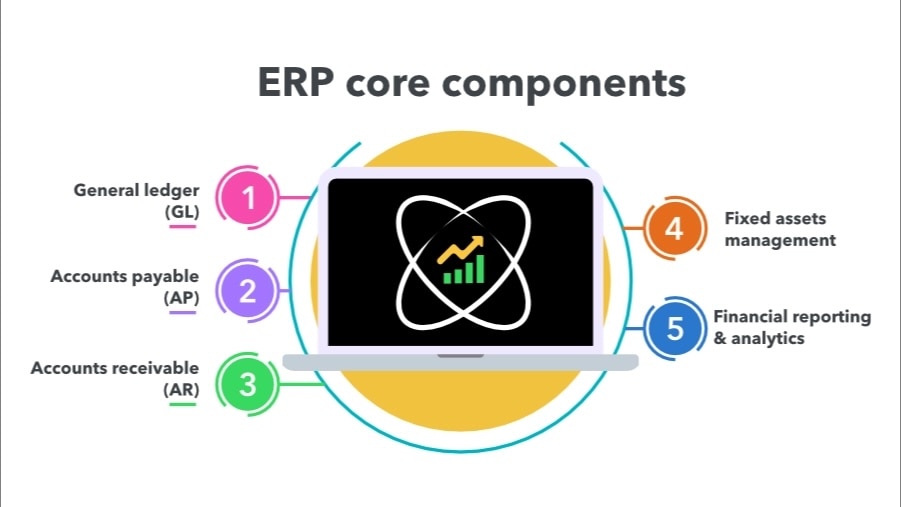
Understanding the key modules within ERP accounting systems helps identify which features address specific business challenges. Here's how the core components work together to create unified financial management:
General ledger (GL)
The general ledger (GL) acts as the financial command center where all subsidiary ledgers automatically feed their data. Since accounts payable, accounts receivable, and inventory post directly to the general ledger, the trial balance stays current without manual intervention. This real-time visibility and accuracy mean businesses can drill down from high-level dashboards to specific transactions in seconds.
The advanced GL modules of ERP systems go beyond standard accounting software with multi-dimensional tagging capabilities, which eliminate chart of accounts bloat. Instead of endless sub-accounts, transactions can be tagged with dimensions such as department, project, or customer. This keeps the charts clean while enabling deeper analysis.
These modules also support multi-entity and multi-currency operations, enabling businesses to manage subsidiaries and international transactions through unified reporting rather than wrestling with manual consolidations.
Accounts payable (AP)
ERP systems automate the entire purchase-to-pay process through three-way matching of invoices, purchase orders, and receipts. When discrepancies arise, approval workflows automatically route exceptions to the appropriate managers, eliminating the email chains that typically bog down accounting teams.
Advanced AP modules can detect duplicate invoices, automate recurring expenses, and provide vendor portals that streamline communications, transforming what's traditionally been a manual, time-intensive process.
Accounts receivable (AR)
The moment shipping confirms an order, the ERP can generate invoices, send them to customers, and update cash flow projections simultaneously. Some systems apply machine learning to predict payment timelines based on customer history, enabling businesses to proactively manage working capital instead of reacting to cash flow surprises.
Fixed assets management
Assets get tracked from acquisition through disposal, with depreciation calculations automatically applied according to tax or GAAP requirements. For capital-intensive businesses, this automation can eliminate days from the month-end close process.
Beyond basic depreciation, these modules track maintenance schedules, warranty periods, and insurance coverage, helping businesses actively manage assets rather than simply account for them.
Financial reporting & analytics
Real-time dashboards and dimensional reporting replace the wait for spreadsheet roll-ups. Managers can view profitability shifts as they happen, and analyze performance by project, region, or any other business dimension that matters.
Multi-dimensional capabilities give accountants greater reporting flexibility, making it easy to generate highly granular reports—for example, P&L by project or customer profitability—in minutes, without having to navigate a web of sub-accounts.
Perhaps most importantly, ERP systems enable self-service reporting across departments. Instead of finance constantly fielding report requests, department heads access their own dashboards, improving transparency while freeing up the accounting team for higher-value work.
Benefits of ERP accounting
ERP accounting transforms how businesses operate by eliminating the manual processes and disconnected systems that typically constrain growth. The result is operational efficiency that scales naturally, and gives accountants and advisory firms more bandwidth to serve as strategic partners to clients.
A few of the core benefits of leveraging powerful ERP systems in accounting include:
- Streamlined financial processes: ERP automation handles invoice matching, reconciliations, and report generation end-to-end, slashing the hours once spent on data entry and error chasing.
- Real-time financial visibility: Live dashboards surface cash, sales, and cost metrics as they happen, so leaders can adjust prices, staffing, or spend in the moment, not days later.
- Built-in compliance and controls: Audit trails, approval workflows, role-based security, and standardized posting rules run in the background, keeping records clean and regulators satisfied.
- Strategic decision-making support: Because operational and financial data share one source, ERP reporting pinpoints margin drivers, forecasts cash needs, and highlights best-performing products or locations—insight traditional systems can’t deliver without weeks of manual analysis.
Choosing the Right ERP Accounting Software
Not every ERP system works for every business. The key is helping clients evaluate their current pain points and future goals, then finding solutions that support growth. Here are a few of the main factors to consider when comparing options:
Scalability
A common mistake is choosing an ERP system that is either too complex for a business’s current needs or too rigid to adapt to growth. Many traditional ERP systems are feature-heavy and can overwhelm smaller businesses with unnecessary complexity.
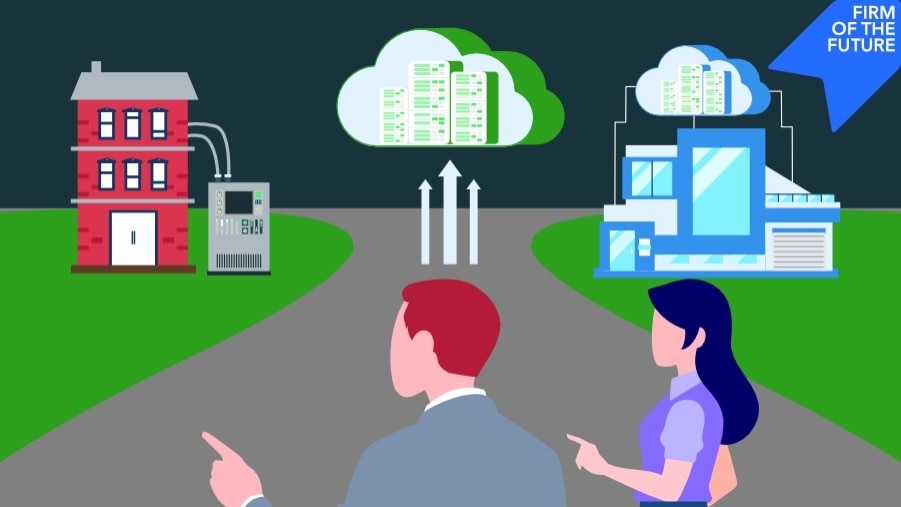
When advising clients, encourage them to choose a platform that strikes the right balance between robust capabilities and manageability. Cloud-based systems tend to be a good option because they can scale well with a business, offer flexible pricing, and maintain simplicity in day-to-day operations.
It's also worth noting that some platforms, including Intuit Enterprise Suite, offer ERP-level functionality with multi-entity reporting, project financials, advanced forecasting, on top of more familiar accounting systems such as Intuit QuickBooks. These solutions can be especially valuable for businesses that have outgrown basic tools but aren't ready for the complexity or cost of a full ERP implementation.
Industry- or company-specific functionality
Generic ERP systems can work, but they usually need heavy customization to handle unique company characteristics and needs. If a client runs a manufacturing operation, construction company, or professional services firm, industry-specific features such as job costing or bill-of-materials tracking can save significant time and headaches right out of the box.
For businesses operating multiple entities—for example, a financial services firm managing different business units—intercompany journal entries are a main ERP requirement. The ability to easily record transactions between entities and maintain accurate consolidated reporting, a notable feature of Intuit Enterprise Suite, for example, can save hours of manual reconciliation work each month.
Integration requirements
Many businesses already use specialized tools for CRM, time tracking, or payroll that work well for them. Rather than forcing them to abandon systems that aren't broken, look for ERP-type solutions that come with a Customer Hub and CRM tools, such as Intuit Enterprise Suite, or ones with strong integration capabilities. The goal is centralization without unnecessary disruption.
Good integration ecosystems also protect the investment long-term. As business needs change and new tools emerge, well-connected ERP systems can adapt without requiring complete overhauls.