ERP accounting: A comprehensive Guide for accountants.
Enterprise

ERP systems in accounting

Modern businesses expect more from their accounting systems: real-time data, fewer manual tasks, and AI-powered insights they can act on quickly. The gap between a business event and when it shows up in reports has a real cost. ERP accounting tools eliminate that latency tax by acting as a system of intelligence and agency—connecting financials across every part of the business, from inventory to payroll, with continuous reconciliation built in.

This guide breaks down what makes ERP accounting different, which features matter most, and how to help clients map their complexities to a scalable architecture.

Whether you're advising a financial holding company, a marketing agency, or multi-entity construction firm, you'll walk away with practical ways to position ERP as a forward-looking system—one that spends less time on past reporting and more time powering strategic decisions.

How ERP accounting drives business strategy

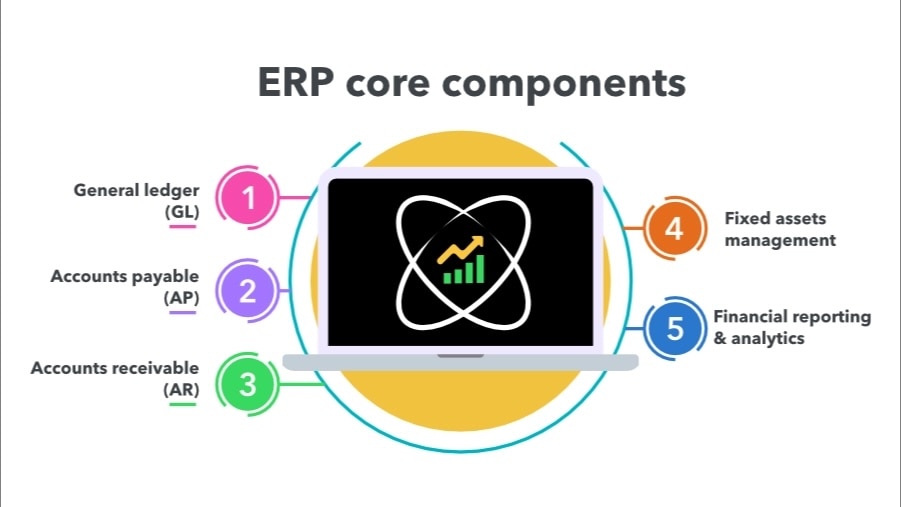
ERP systems are built around a set of core components—general ledger, AP, AR, fixed assets, and reporting—each of which functions as a strategic driver in a well-implemented system. What matters here is what those components make possible, particularly in modern ERPs where AI and automation have raised the ceiling on what's achievable.

The five core components of an ERP.

Core components of ERP accounting systems

Understanding the key modules within ERP accounting systems helps identify which features address specific business challenges. Here's how the core components work together to create unified financial management:

General ledger (GL) 

The general ledger (GL) acts as the financial command center where all subsidiary ledgers automatically feed their data. Since accounts payable, accounts receivable, and inventory post directly to the general ledger, the trial balance stays current without manual intervention. This real-time visibility and accuracy mean businesses can drill down from high-level dashboards to specific transactions in seconds.

The advanced GL modules of ERP systems go beyond standard accounting software with multi-dimensional tagging capabilities, which eliminate chart of accounts bloat. Instead of endless sub-accounts, transactions can be tagged with dimensions such as department, project, or customer. This keeps the charts clean while enabling deeper analysis.

These modules also support multi-entity and multi-currency operations, enabling businesses to manage subsidiaries and international transactions through unified reporting rather than wrestling with manual consolidations.

Accounts payable (AP) 

ERP systems automate the entire purchase-to-pay process through three-way matching of invoices, purchase orders, and receipts. When discrepancies arise, approval workflows automatically route exceptions to the appropriate managers, eliminating the email chains that typically bog down accounting teams.

Advanced AP modules can detect duplicate invoices, automate recurring expenses, and provide vendor portals that streamline communications, transforming what's traditionally been a manual, time-intensive process.

Accounts receivable (AR) 

The moment shipping confirms an order, the ERP can generate invoices, send them to customers, and update cash flow projections simultaneously. Some systems apply machine learning to predict payment timelines based on customer history, enabling businesses to proactively manage working capital instead of reacting to cash flow surprises.

Fixed assets management 

Assets get tracked from acquisition through disposal, with depreciation calculations automatically applied according to tax or GAAP requirements. For capital-intensive businesses, this automation can eliminate days from the month-end close process.

Beyond basic depreciation, these modules track maintenance schedules, warranty periods, and insurance coverage, helping businesses actively manage assets rather than simply account for them.

Financial reporting & analytics 

Real-time dashboards and dimensional reporting replace the wait for spreadsheet roll-ups. Managers can view profitability shifts as they happen, and analyze performance by project, region, or any other business dimension that matters.

Multi-dimensional capabilities give accountants greater reporting flexibility, making it easy to generate highly granular reports—for example, P&L by project or customer profitability—in minutes, without having to navigate a web of sub-accounts.

Perhaps most importantly, ERP systems enable self-service reporting across departments. Instead of finance constantly fielding report requests, department heads access their own dashboards, improving transparency while freeing up the accounting team for higher-value work.

Benefits of ERP accounting

ERP accounting transforms how businesses operate by eliminating the manual processes and disconnected systems that typically constrain growth. The result is operational efficiency that scales naturally, and gives accountants and advisory firms more bandwidth to serve as strategic partners to clients.

A few of the core benefits of leveraging powerful ERP systems in accounting include: 

  • Streamlined financial processes: ERP automation handles invoice matching, reconciliations, and report generation end-to-end, slashing the hours once spent on data entry and error chasing.
  • Real-time financial visibility: Live dashboards surface cash, sales, and cost metrics as they happen, so leaders can adjust prices, staffing, or spend in the moment, not days later.
  • Built-in compliance and controls: Audit trails, approval workflows, role-based security, and standardized posting rules run in the background, keeping records clean and regulators satisfied.
  • Strategic decision-making support: Because operational and financial data share one source, ERP reporting pinpoints margin drivers, forecasts cash needs, and highlights best-performing products or locations—insight traditional systems can’t deliver without weeks of manual analysis.

Choosing the Right ERP Accounting Software

Not every ERP system works for every business. The key is helping clients evaluate their current pain points and future goals, then finding solutions that support growth. Here are a few of the main factors to consider when comparing options: 

Scalability

A common mistake is choosing an ERP system that is either too complex for a business’s current needs or too rigid to adapt to growth. Many traditional ERP systems are feature-heavy and can overwhelm smaller businesses with unnecessary complexity. 

When advising clients, encourage them to choose a platform that strikes the right balance between robust capabilities and manageability. Cloud-based systems tend to be a good option because they can scale well with a business, offer flexible pricing, and maintain simplicity in day-to-day operations. 

It's also worth noting that some platforms, including Intuit Enterprise Suite, offer ERP-level functionality with multi-entity reporting, project financials, advanced forecasting, on top of more familiar accounting systems such as Intuit QuickBooks. These solutions can be especially valuable for businesses that have outgrown basic tools but aren't ready for the complexity or cost of a full ERP implementation.

Industry- or company-specific functionality 

Generic ERP systems can work, but they usually need heavy customization to handle unique company characteristics and needs. If a client runs a manufacturing operation, construction company, or professional services firm, industry-specific features such as job costing or bill-of-materials tracking can save significant time and headaches right out of the box.

For businesses operating multiple entities—for example, a financial services firm managing different business units—intercompany journal entries are a main ERP requirement. The ability to easily record transactions between entities and maintain accurate consolidated reporting, a notable feature of Intuit Enterprise Suite, for example, can save hours of manual reconciliation work each month.

Integration requirements 

Many businesses already use specialized tools for CRM, time tracking, or payroll that work well for them. Rather than forcing them to abandon systems that aren't broken, look for ERP-type solutions that come with a Customer Hub and CRM tools, such as Intuit Enterprise Suite, or ones with strong integration capabilities. The goal is centralization without unnecessary disruption.

Good integration ecosystems also protect the investment long-term. As business needs change and new tools emerge, well-connected ERP systems can adapt without requiring complete overhauls.

A general ledger that closes itself

In a modern ERP, the general ledger stays current without anyone having to actively maintain it. AP, AR, and inventory post directly, so the trial balance reflects reality at any given moment. For clients spending days on month-end close, that shift alone is significant.

Dimensional tagging is where modern ERPs pull ahead of standard accounting software. Rather than maintaining a bloated chart of accounts with endless sub-accounts, transactions get tagged by dimension: department, project, customer, location. The chart stays clean, and reporting becomes genuinely flexible, pulling P&L by project or customer profitability in minutes.

Multi-entity and multi-currency support follows the same logic. Businesses managing subsidiaries or international operations get consolidated reporting without manual reconciliation across entities. For growing mid-market clients, this is often the capability that makes their existing tools feel inadequate—and the clearest signal they've outgrown standard accounting software.

Accounts payable that runs in the background

Three-way matching of invoices, purchase orders, and receipts happens automatically. Discrepancies route to the right approver without anyone managing the process. Duplicate invoices get flagged, recurring expenses automate, and vendor communication moves through a portal rather than email chains. The net effect is that AP stops being a time sink and starts being a controlled, auditable process.

Accounts receivable tied to cash flow strategy

When an order ships, the ERP generates the invoice, sends it, and updates cash flow projections simultaneously. More advanced systems apply machine learning to predict payment timelines based on customer history, so clients can manage working capital proactively rather than reacting to shortfalls. That's a meaningful shift for businesses where cash flow timing drives operational decisions.

Fixed assets managed, not just tracked

Depreciation calculates automatically against tax or GAAP requirements, which removes days from month-end close for capital-intensive businesses. Beyond that, modern fixed asset modules track maintenance schedules, warranty periods, and insurance coverage—turning asset management from a compliance exercise into an operational one.

Reporting that serves the whole business

Real-time dashboards replace the wait for spreadsheet roll-ups. Department heads access their own views without fielding requests through finance, which frees the accounting team for higher-value work. Dimensional reporting means granular analysis by region, product line, project is available on demand rather than built from scratch each time.

AI and agent orchestration

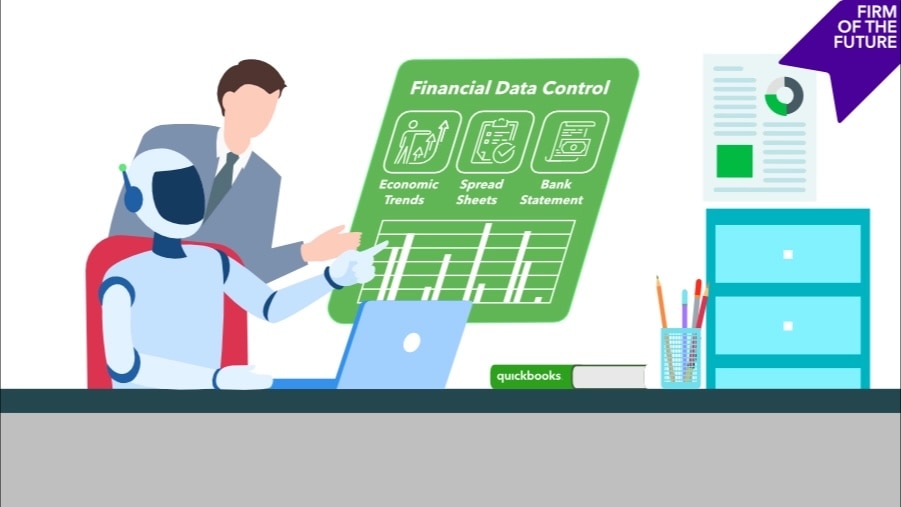
AI is becoming a core part of what modern ERPs deliver, not a separate layer on top. Anomaly detection, predictive cash flow modeling, automated reconciliation, and natural language querying are increasingly standard features. Layered agent orchestration takes it further: agents that monitor thresholds, flag risks, and trigger workflows without human intervention. For advisory firms, this shifts the conversation with clients from "here's what happened" to "here's what's about to happen and what we should do about it."

Benefits of ERP Accounting

ERP accounting transforms how businesses operate by eliminating the manual processes and disconnected systems that typically constrain growth. The result is a single source of truth across every business function—one that prevents fragmented data, keeps teams looking forward rather than backward, and gives accountants and advisory firms more bandwidth to serve as strategic partners to clients.

A few of the core benefits include:

  • Streamlined financial processes: ERP automation—including AI-powered matching and reconciliation—handles invoice processing, report generation, and error resolution end-to-end, slashing the hours once spent on manual data entry and error chasing.
  • Eliminated double data entry: Operational transactions automatically become accounting entries, so financial data reflects what's actually happening in the business—not a delayed, manually assembled version of it.
  • Real-time financial visibility: Live dashboards surface cash, sales, and cost metrics as they happen, so leaders can adjust prices, staffing, or spend in the moment, not days later.
  • Built-in compliance and controls: Audit trails, approval workflows, role-based security, and standardized posting rules run in the background, keeping records clean and regulators satisfied.
  • Strategic decision-making support: Because operational and financial data share one source, ERP reporting pinpoints margin drivers, forecasts cash needs, and highlights best-performing products or locations. With AI and layers of agent orchestration, that capability goes further, surfacing insights and triggering actions that traditional systems can't deliver without weeks of manual analysis.

Choosing the right ERP accounting software

Not every ERP system works for every business. The key is helping clients evaluate their current pain points and future goals, then finding solutions that support growth. Here are a few of the main factors to consider when comparing options:

Scalability

A common mistake is choosing an ERP system that is either too complex for a business's current needs or too rigid to adapt to growth. Many traditional ERP systems are feature-heavy and can overwhelm smaller businesses with unnecessary complexity.

When advising clients, encourage them to choose a platform that strikes the right balance between robust capabilities and manageability. Cloud-based systems tend to be a good option because they can scale well with a business, offer flexible pricing, and maintain simplicity in day-to-day operations.

AI-native ERPs take this a step further, turning systems of record into systems of intelligence that surface insights, automate routine work, and help teams focus on the next best action.

Intuit Enterprise Suite, for example, strikes that balance well. Multi-entity management, advanced accounting, and automated intercompany operations give controllers a single, accurate view of the business so they can close faster and with more confidence.

Hundreds of entities are handled from one platform, so scaling through acquisition or expansion doesn't trigger a migration or a costly customization project. And as the business grows, the connected ecosystem of 850+ integrations across 20+ industries means the platform adapts to how operations actually evolve rather than forcing a generic mold. CFOs get what they need from a modern system: real-time insights that support forward-looking strategy rather than historic reporting.

Industry- or company-specific functionality

Generic ERP systems can work, but they usually need multiple systems and processes to handle unique company characteristics and needs. If a client runs a manufacturing operation, construction company, or professional services firm, industry-specific workflows such as job costing or bill-of-materials tracking can save significant time and avoid costly disruptions right out of the box.

For businesses operating multiple entities—for example, a financial services firm managing different business units—intercompany journal entries are a main ERP requirement. The ability to easily record transactions between entities and maintain accurate consolidated reporting, a notable feature of Intuit Enterprise Suite, can save hours of manual reconciliation work each month.

Integration requirements

Many businesses already use specialized tools for CRM, time tracking, or payroll that work well for them. Rather than forcing them to abandon systems that aren't broken, look for an ERP that comes with a Customer Hub and CRM tools, such as Intuit Enterprise Suite, or ones with strong integration capabilities. The goal is centralization without unnecessary disruption.

Large and growing integration ecosystems also protect the investment for the long term. As business needs change and new tools emerge, well-connected ERP systems can adapt without requiring complete overhauls.

Cloud and AI readiness

Cloud and AI aren't future considerations at this point—they're current selection criteria. The global cloud ERP market is projected to grow to $233.38 billion by 2032, according to data from SkyQuest; similarly, AI in ERP is projected to grow to $46.5 billion by 2033, according to Market.us.

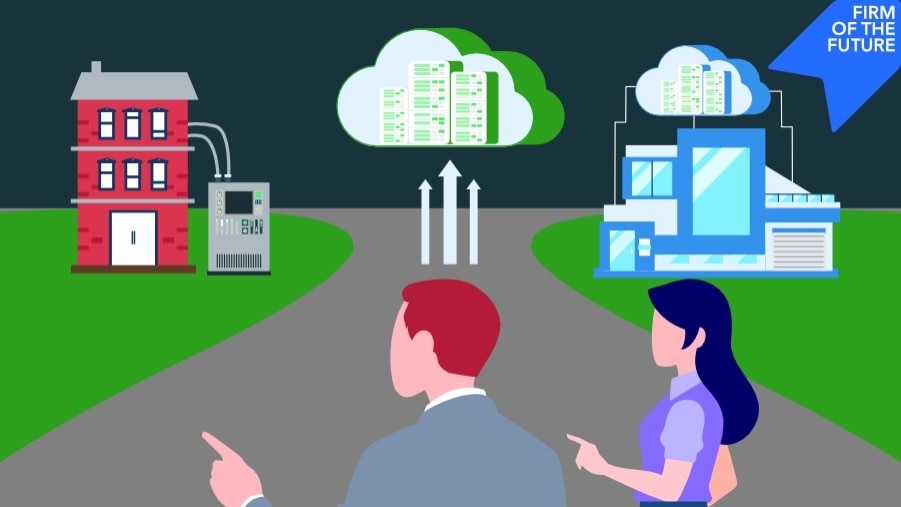
When advising clients on system selection, these numbers matter less than what they signal: businesses that choose on-premise or AI-light systems today are likely to face a costly migration or capability gap within a few years. Cloud-based, AI-native platforms are where the market is going, and letting clients get locked into something that isn't scalable is a costly mistake.

```html

Case Study: HFMM Legacy Group

HFMM Legacy Group, an outdoor services firm managing eight entities across two states, had outgrown a patchwork of tools and spreadsheets. The manual workload was slowing them down, until they switched to Intuit Enterprise Suite.

In less than two hours, and with zero disruption, thanks to a seamless migration, they unified their financials and unlocked ERP-level capabilities such as automated payroll, consolidated reporting, and seamless time tracking.

"One of the main benefits of Intuit Enterprise Suite is the amount of time it's freed up for me. I've saved 10 to 15 hours a week. I can now use that time how I choose, whether it's with family, or with more staff, or other projects."
—Jason Corby, CFO and Co-founder, HFMM Legacy Group

When your system fits your business, it doesn't just support growth—it gives you the freedom to lead it.

Read HFMM's story

```

Implementation best practices

Choosing an ERP system is only half the battle; implementation determines whether it actually works. The biggest pitfalls are usually not technical issues, but organizational ones. Luckily, you can help set clients up for success with these four tips:

  1. Conduct a thorough needs assessment. Start by understanding where the business stands today and where it wants to be in 3-5 years. What kind of growth are they expecting? What bottlenecks are actually costing them time and money? Getting clear on these fundamentals shapes everything from system selection to rollout timing.
  2. Prioritize clean data migration. Data integrity is the foundation for accuracy, so use implementation as an opportunity to clean house. Consolidate charts of accounts, eliminate inactive vendors and customers, and establish consistent naming conventions. It makes a huge difference in long-term system usability.
  3. Focus on training and change management. Even the most powerful ERP system falls flat if people don't use it properly. Tailor training sessions by user role, and explain not just how the system works, but why it matters for their daily work. Help teams see ERP as a tool that eliminates tedious tasks rather than adding more complexity to their jobs.
  4. Implement in phases. Rolling out every module simultaneously might seem efficient, but it creates unnecessary risk. A phased approach—for example, starting with general ledger, accounts payable, and accounts receivable—lets businesses build confidence and work out process kinks before expanding to inventory, payroll, or project management modules.

How to help engineer the right outcomes for clients

The most common mistake in ERP adoption isn't choosing the wrong system; it's underestimating how much the implementation will reveal about the business. An ERP amplifies whatever processes are already in place.

If approvals are inconsistent, coding is ad hoc, or reconciliations happen differently across teams, the system makes that visible and permanent. The right framing for clients is: "This will force you to solve those problems, and we'll help you do that well."

That's the opportunity. A well-implemented ERP standardizes how the business operates: consistent approval workflows, uniform coding, predictable close processes. That consistency is what makes scaling possible, whether a client is adding entities, expanding into new markets, or going through an acquisition.

For AI-native systems, clean structured data flowing through a standardized operating model is what lets AI do useful work—flagging anomalies before they become problems, surfacing exceptions, and supporting faster decisions with real-time insight. Getting clients to invest in data quality upfront is part of setting the system up to deliver on that.

On the team side, the conversation is straightforward: Automation reduces hours spent on low-value manual work, freeing finance to focus on analysis, forecasting, controls, and strategic support.

Your role is to help clients see the implementation as an operating model decision. The firms that get the most out of ERP are the ones that treat it that way from the start.

Take the next step: Level up your clients' ERP accounting

ERP accounting brings automation, insight, and real-time clarity to your clients' financial operations. And for accountants and advisory firms, it's an opportunity to step into a deeper advisory role.

By understanding ERP features, implementation strategies, and potential pitfalls, you position yourself as more than a technical expert. You become a long-term partner in your clients' success.

Ready to explore how an AI-native ERP can give your clients enterprise-grade power without enterprise-wide pain? Intuit Enterprise Suite is intelligent, adaptive, and tailored for their businesses, so they can get to value faster.

FAQs

How does ERP accounting software differ from traditional accounting software?

ERP systems integrate financials with other business functions such as sales, HR, and inventory. This creates real-time data flow, reduces manual entry, and improves visibility across the business.

What are the core modules of ERP accounting systems?

Standard modules include general ledger, accounts payable, accounts receivable, fixed asset management, and financial reporting. Many systems also offer advanced features like budgeting, classes and dimensions, forecasting, and compliance tools.

Can ERP systems integrate with my client’s current tools?

Yes. Most modern ERP systems include APIs or built-in connectors for platforms such as Salesforce, ADP, Shopify, and others. Integration helps centralize data without forcing clients to abandon tools that already work for them.

How long does ERP implementation take?

It depends on complexity. Phased rollouts for small- to mid-size firms typically take 3–9 months, while larger enterprises may span 6–18 months. However, implementation times for Intuit Enterprise Suite are generally less than two months, based on average time spent by IES users completing implementation since October 2024.

What’s the cost of ERP accounting software?

Costs vary depending on business size, number of users, and feature requirements. 

Do ERP systems replace the need for CPAs or controllers?

Not at all. ERP systems automate data processing, but CPAs, CFOs, and other financial professionals are still essential for interpreting data, ensuring compliance, and guiding strategy.


Recommended for you

Get the latest to your inbox

Get the latest product updates and certification news to help you grow your practice.

Looking for something else?

Get QuickBooks

Smart features made for your business. We've got you covered.

Tax Pro Center

Expert advice and resources for today’s accounting professionals.

QuickBooks Support

Get help with QuickBooks. Find articles, video tutorials, and more.

How can we help?
Talk to sales 1-800-497-1712

Monday - Friday, 5 AM to 6 PM PT

Get product support