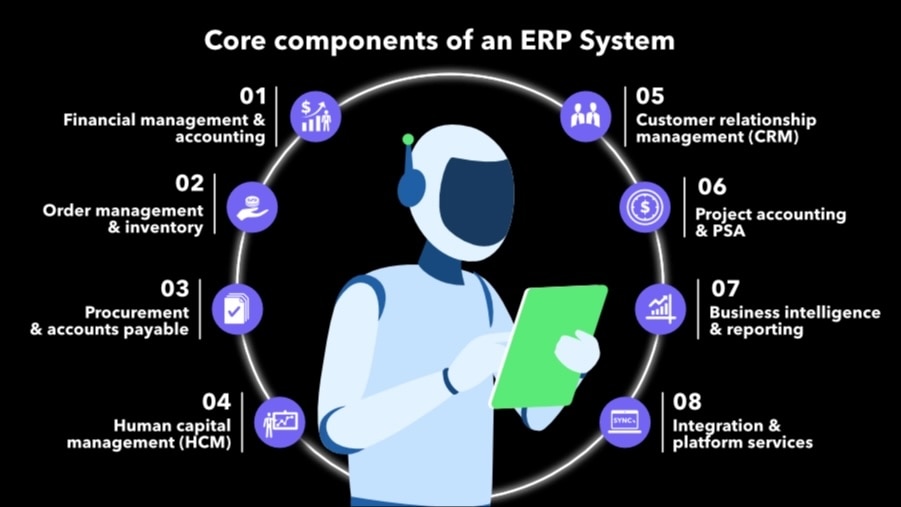
Here’s a look at some of the core ERP components and who uses them.
Financial management and accounting
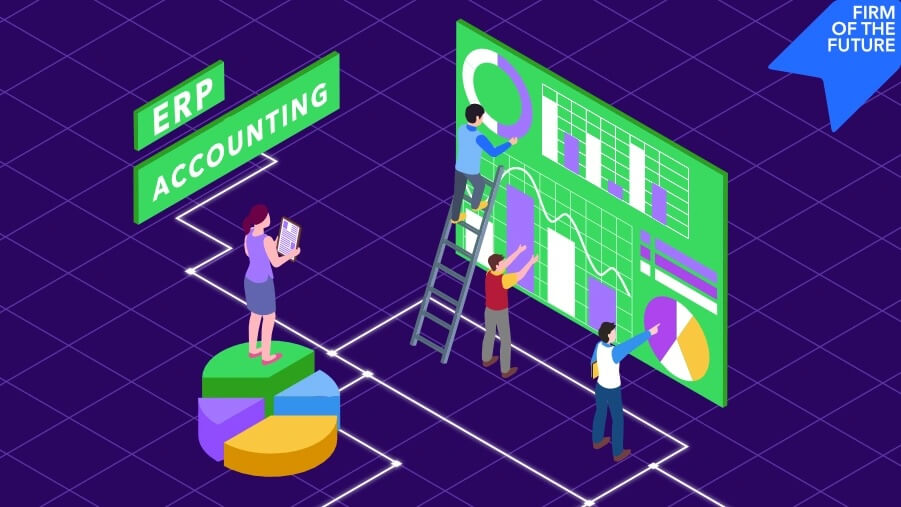
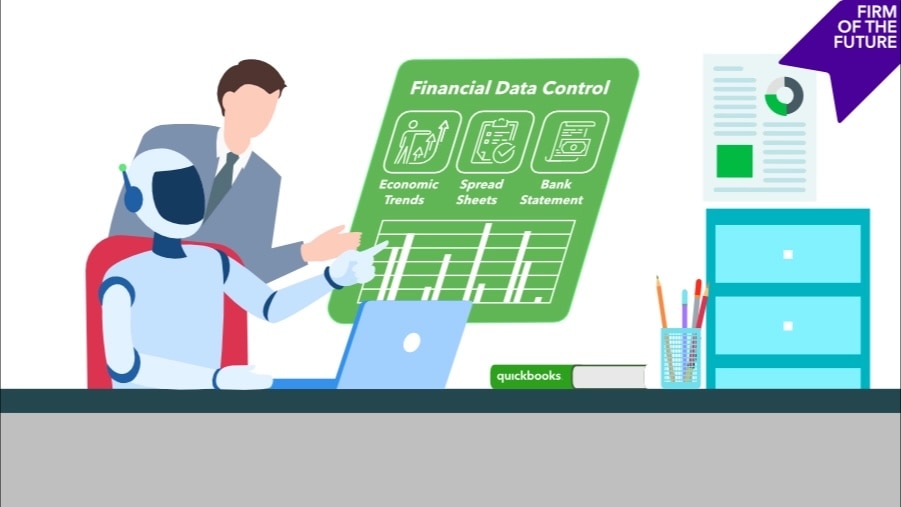
The financial management component serves as the system of record for all monetary transactions. This includes the general ledger (GL), chart of accounts, accounts payable (AP), accounts receivable (AR), cash flow/management, and fixed asset accounting. For businesses managing multiple legal entities, this component handles consolidation, intercompany transactions, and elimination entries that would otherwise require manual work in Excel or spreadsheet program.
Modern ERP accounting systems automate revenue recognition and provide the foundation for financial reporting and compliance. For example, service businesses rely on these systems for project-based revenue recognition, while multi-entity clients need the consolidation capabilities to eliminate manual work across their portfolio.
Order management and inventory
The order-to-cash component manages the sales cycle from quote and fulfillment to invoicing, including order management, pricing, and inventory tracking.
The depth of inventory capabilities varies widely across ERP systems. Distribution or retail businesses need advanced features such as warehouse management, lot tracking, and sophisticated costing methods. Service-based businesses that sell some products alongside their services typically need more straightforward inventory tracking—enough to monitor stock levels and calculate cost of goods sold without the complexity of a full distribution system.
Procurement and accounts payable
The procure-to-pay component handles vendor management, purchase orders, receiving, invoice matching, and payment processing. Modern systems include approval workflows that route purchases based on dollar thresholds and department budgets, reducing unauthorized spending.
This component becomes particularly valuable for growing businesses that need scalable controls—whether managing approval hierarchies across multiple entities or ensuring proper oversight as spending authority gets delegated.
Human capital management
The human capital management (HCM) component handles employee data, time tracking, payroll processing, benefits administration, and onboarding. Integration with financial components ensures labor costs flow correctly into job costing, project accounting, and department budgets.
Integrated time tracking feeds labor costs directly into project profitability and client billing, serving project-based businesses that bill by the hour or need accurate job costing. Built-in payroll tax compliance handles multi-state regulations automatically—valuable for businesses with employees across multiple states. Automated onboarding and self-service portals let HR scale without adding headcount, a benefit for any growing business.
Customer relationship management
Customer relationship management (CRM) components track customer interactions, manage sales pipelines, and store customer data. When integrated with financial systems, they can provide visibility into customer behavior and engagement patterns.
Traditional ERPs often include extensive CRM capabilities, including complex sales pipeline management, detailed cost-to-serve analysis, and sophisticated customer profitability tracking. Some businesses don't need that level of complexity. Marketing-focused CRM tools that integrate with your financial data can be sufficient; think customer segmentation for targeted campaigns, email marketing automation, and tracking which customer groups generate the most revenue. For service businesses or those with straightforward sales processes, this simpler approach delivers what matters without operational overhead.
Project accounting and professional services automation
For project-based businesses, this component tracks time and expenses by project, manages billing arrangements (fixed-fee, time-and-materials, retainer), handles percent-complete revenue recognition, and provides project profitability analysis.
This component answers the critical question: Is this project actually making money? Professional services firms use it to understand true engagement profitability after accounting for all labor and expenses. Construction companies rely on it for job costing and progress billing that keeps cash flow healthy. Any business billing by project needs these capabilities to move beyond top-line revenue and understand real project margins.
Business intelligence and reporting
Modern ERP systems embed business intelligence and analytics beyond standard financial reports. This component provides dashboards, KPIs, multidimensional analysis, and ad hoc reporting that let users slice data by department, location, or product line without IT support.
The reporting component transforms raw data into actionable insights. Multi-dimensional reporting lets businesses with complex structures break down performance across entities, departments, and locations in a single view. Customizable dashboards surface KPIs in real time, so leadership can spot trends without waiting for month-end close. For businesses preparing board decks or investor packages, automated reporting eliminates manual data compilation and ensures everyone's working from the same numbers.
Integration and platform services
The platform component handles APIs, workflow automation, and data synchronization. This connects the ERP to other systems, including payroll tools, time-tracking tools, project management software, payment processors, or industry-specific applications.
Integration capabilities determine whether your systems work together or create new silos. Workflow automation eliminates manual handoffs between systems, such as automatically syncing time entries from project management tools into billing. API connections let businesses adopt best-of-breed applications without sacrificing data consistency. The platform ensures information flows seamlessly across tools, so teams don't have to manually reconcile data between systems or work with outdated information.
Choosing what's "core" for each business
The component selection conversation should start with pain points. Guide clients through questions that reveal what actually matters:
- Where are you losing the most time in your current processes?
- What reports or data do you need, but can't easily get today?
- Where does information get stuck between departments or systems?
- What manual work could you eliminate with better integration?
- Which business decisions are you making blindly because you lack visibility?
As you work through these questions with your clients, you'll often find that they need less ERP than they think. A business that believes it needs every module might benefit from focusing on strong financial management, solid reporting, and good integration capabilities. The systems that work best typically handle core operations exceptionally well, rather than trying to do everything.
In most cases, it's best to start with financial management plus two or three operational components that address the biggest pain points, then expand as needs emerge. This phased approach is more manageable from an implementation standpoint. It also ends up being more cost-effective and driving greater ROI.
How to approach implementation
When advising clients on ERP implementation, focus on three critical areas where implementations typically stumble:
1. Data migration
Data migration causes more failures than technical issues. Master data, such as customers, vendors, employees, items should be validated and cleaned before transfer. Historical balances need to migrate, but push clients to think critically about how many years they genuinely need versus what they think they want. Chart of accounts design is an opportunity to eliminate complexity: many businesses have bloated charts of accounts with inactive accounts and inconsistent hierarchies. Design the new structure to support actual reporting requirements, not every hypothetical scenario.
2. Change management
Change management determines whether staff actually adopt the new system. If employees don't understand why new processes benefit them, adoption fails regardless of how well the system works. Guide clients to involve end users early and communicate the "what's in it for me" throughout the process.
3. Scope control
Starting with standard configurations and only customizing them for compelling business reasons is the key to preventing scope creep. Often, the best path is to adapt to system best practices rather than recreate legacy workflows. Make sure clients assign clear accountability using a RACI framework—who is responsible for decisions, who is accountable, who is consulted, and who needs to be informed.
Putting component clarity to work
Advising on ERP selection means translating technical capabilities into business outcomes. When clients understand what each ERP component actually does—and more importantly, what problems each component solves—clients can make decisions based on operational reality rather than just what sounds good.
The goal isn't finding the system with the most features. It's identifying the components that address real friction points today, while leaving room for continued growth. That clarity makes the difference between implementations that deliver value and ones that drain resources.
For mid-market businesses that need robust capabilities without traditional ERP complexity, solutions like Intuit Enterprise Suite offer strong financial management, multi-entity support, and project accounting with faster implementation and a more intuitive user experience.